Rankadmain
WhatsApp is already one of the most widely used ways for businesses, teams, and customers to communicate. Adding an AI assistant to those conversations can make WhatsApp more useful for answering questions, handling repetitive requests, and providing quick responses.
That is where Claude AI WhatsApp integration comes in.
By connecting Claude with WhatsApp, you can create a workflow where a person sends a WhatsApp message, your integration receives it, Claude processes the request, and an automated response is sent back through WhatsApp.
The important part is understanding that Claude and WhatsApp do not simply connect with one switch. A working setup normally requires an integration layer between the messaging platform and Claude’s API.
In this guide, you’ll learn what Claude AI WhatsApp integration is, what beginners need before starting, how the complete message flow works, how to connect Claude AI to WhatsApp, and how you can use the resulting WhatsApp AI bot for automation.
What Is Claude AI WhatsApp Integration?
Claude AI WhatsApp integration means connecting a WhatsApp messaging system with Anthropic’s Claude AI so that incoming WhatsApp messages can be processed by Claude and answered automatically.
A typical workflow looks like this:
WhatsApp → Webhook → Your Server or Integration Platform → Claude API → Response → WhatsApp
When someone sends a message, the WhatsApp side of the integration receives the event. Your server or automation platform then sends the relevant message to Claude through the Claude API. Claude generates a response, and your system sends that response back to the WhatsApp conversation.
Anthropic provides the Claude API for programmatic access to Claude models. Its Messages API accepts structured conversational input and returns a generated response.
Can You Integrate Claude AI With WhatsApp?
Yes, Claude can be incorporated into a WhatsApp automation workflow, but the exact implementation depends on the tools and APIs you choose.
You generally need three main pieces:
- A WhatsApp messaging solution
- A Claude API connection
- A server, automation platform, or integration layer
The WhatsApp side handles messages, while Claude handles the AI processing.
This distinction matters because Claude itself is not the WhatsApp messaging infrastructure. Instead, your application connects the two systems and controls what information is sent to Claude and what happens with its response.
Claude AI WhatsApp Integration: Beginner Setup Explained
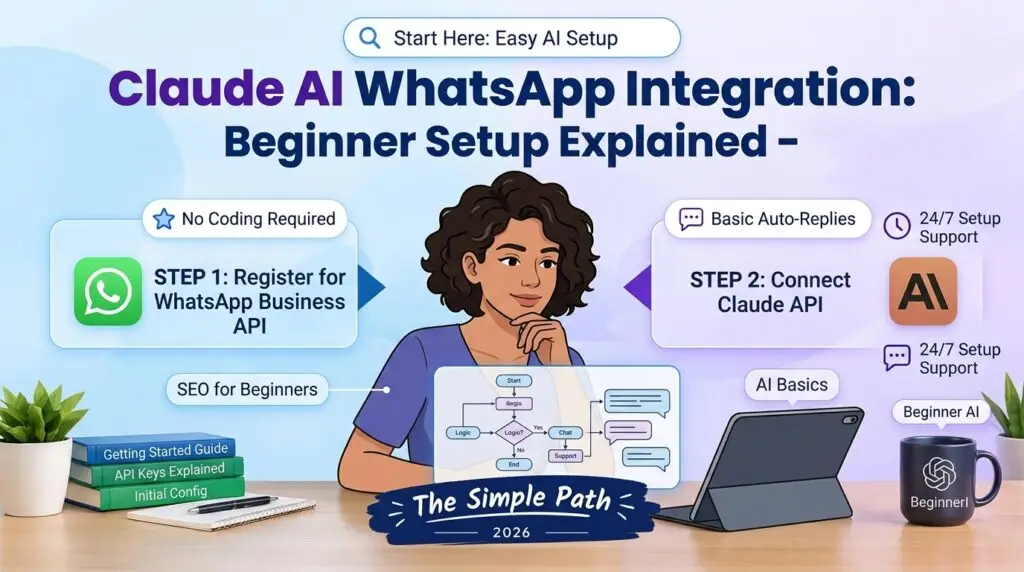
If you’re completely new to APIs, webhooks, and automation, the setup can sound more complicated than it really is.
Think of the integration as a bridge between WhatsApp and Claude.
You are not asking Claude to directly control WhatsApp. Instead, another application sits in the middle and passes information between the two systems.
The basic flow is
Customer → WhatsApp → Your Integration → Claude AI → Your Integration → WhatsApp → Customer
Here is what each part does.
1. WhatsApp Handles the Conversation
The customer starts by sending a WhatsApp message.
For example:
“What are your business hours?”
Your WhatsApp messaging setup receives that incoming message.
2. Your Integration Receives the Message
Your server or automation platform acts as the middle layer.
It receives the WhatsApp event through the messaging platform’s supported webhook system, identifies the incoming message, and prepares the information that needs to be processed.
3. Claude Processes the Request
Your application sends the relevant message to the Claude API.
Claude then generates a response based on the instructions, context, and information your application provides.
Anthropic’s Messages API uses structured user messages and can support both single requests and multi-turn conversations.
4. Your Integration Sends the Answer Back
Once Claude returns a response, your application sends that response through your WhatsApp messaging system.
The customer then sees the answer in the same WhatsApp conversation.
The Simplest Way to Understand It
You can think about the setup like this:
WhatsApp = where the conversation happens
Your server or automation platform = the bridge
Claude API = the AI that generates the response
That is the basic idea behind a Claude AI WhatsApp bot.
Do Beginners Need to Code Everything?
Not necessarily.
There are several ways to build this type of workflow.
A developer can create a custom integration using a programming language such as Python or JavaScript. Alternatively, some automation platforms may provide visual workflows that reduce the amount of traditional coding required.
The important thing is that the chosen solution must support the WhatsApp messaging functionality and the Claude API capabilities you need.
For a beginner, it is usually easier to understand the message flow first and choose the implementation method afterward.
What You Need Before Starting
Before you try to build a Claude AI WhatsApp bot, prepare the accounts and credentials required by your chosen setup.
1. A WhatsApp Business Setup
You need a supported WhatsApp Business API solution or another platform that provides programmatic access to WhatsApp messaging.
The exact setup can vary depending on whether you are building directly with Meta’s WhatsApp tools or using a third-party provider.
2. A Claude API Account
You need access to Anthropic’s Claude API and the credentials required by your application.
Your application uses those credentials to authenticate API requests.
3. A Server or Automation Platform
You need somewhere to receive WhatsApp events and process them.
Depending on your technical experience, this could be:
- A custom Node.js or Python application
- A cloud server
- A serverless function
- An automation platform
- Another integration service that supports your required APIs
4. A Webhook
A webhook allows your application to receive information when a relevant event happens.
For a WhatsApp AI bot, the webhook can receive an incoming message and pass the useful information into your processing workflow.
5. A Place to Store Conversation Data
If you want your bot to understand previous messages, your application may need to store conversation history.
This is important because the Claude Messages API is stateless. Your application can send previous conversation turns along with a new request when context is required.
How to Connect Claude AI to WhatsApp
The exact implementation depends on your WhatsApp provider and development stack, but the overall process follows a similar pattern.
Step 1: Set Up WhatsApp Messaging
First, configure your WhatsApp Business messaging environment and make sure your application can receive and send messages through the supported API.
You will need the credentials and configuration required by your selected WhatsApp platform.
Do not put private access tokens directly into public website code. Keep credentials on your server or in secure environment variables.
Step 2: Create Your Claude API Access
Create the required Claude API setup and credentials.
Anthropic’s Messages API uses the /v1/messages endpoint for creating messages. It accepts structured messages and returns Claude’s generated response.
Your server can therefore take the incoming WhatsApp message and send it to Claude.
Conceptually, the request looks like
WhatsApp message
        ↓
Your application
        ↓
Claude Messages API
        ↓
Claude response
        ↓
Your application
        ↓
WhatsApp reply
Step 3: Create the Webhook
Your WhatsApp platform needs a webhook endpoint that your application controls.
When a new message arrives, the webhook receives the event.
Your application can then:
- Identify the sender or conversation.
- Extract the message.
- Apply your instructions or system prompt.
- Send the relevant content to Claude.
- Receive Claude’s response.
- Send the response back through WhatsApp.
Step 4: Send the Message to Claude
Your server sends the user’s message to the Claude Messages API.
For example, a user could send:
“What are your opening hours?”
Your application could pass that request to Claude along with appropriate instructions and business information.
Claude might generate a response such as
“We’re open from 9 AM to 6 PM, Monday through Friday.”
Your application then sends the response back to WhatsApp.
Step 5: Return the Response to WhatsApp
After Claude generates the answer, your application needs to send that text back through your WhatsApp messaging system.
At this point, the user sees the response inside the normal WhatsApp conversation.
The user does not need to know which APIs or backend services were involved.
How a Claude AI WhatsApp Bot Works
A Claude AI WhatsApp bot is essentially an automated conversational system built around this message flow.
For example:
Customer:
“Can I change my appointment to tomorrow?”
WhatsApp:
Receives the message.
Your integration:
Processes the incoming event.
Claude:
Interprets the request and generates an appropriate response based on the instructions and information available to it.
WhatsApp:
Sends the response to the customer.
The quality of the result depends heavily on the instructions, data, business logic, and safeguards you build around the AI model.
Claude should not be treated as a replacement for your application’s business rules. Your system should determine what information Claude can access and what actions require additional verification.
Claude AI WhatsApp Automation Examples
There are many practical ways to use Claude in a WhatsApp workflow.
Customer Support
A bot can answer common questions about:
- Opening hours
- Products
- Services
- Delivery information
- Basic policies
- Frequently asked questions
Lead Qualification
A WhatsApp bot can ask initial questions and collect information from potential customers before passing the conversation to a human team member.
Appointment Assistance
The AI can help users understand available options or collect appointment details.
Actual booking or cancellation should still be controlled by the connected booking system rather than relying only on an AI-generated response.
Internal Business Assistance
A private WhatsApp workflow could help employees find approved information, summarize messages, or answer questions based on company documentation.
Content and Marketing Workflows
A Claude-powered workflow can also help draft replies, summarize customer questions, or organize incoming conversations before a human reviews them.
Claude AI WhatsApp Automation: What Should Be Automated?
Not every task should be fully automated.
A useful approach is to separate simple, low-risk questions from actions that can have real consequences.
Good Candidates for Automation
- Frequently asked questions
- Basic product information
- General explanations
- Initial lead questions
- Message classification
- Conversation summaries
Tasks That May Need Human Review
- Refund decisions
- Legal complaints
- Sensitive personal information
- Financial decisions
- Account ownership changes
- High-value transactions
- Complex customer disputes
The goal should be to automate repetitive work without removing appropriate human oversight.
How to Make the WhatsApp AI Bot More Useful
Simply connecting Claude to WhatsApp is only the beginning.
Give Claude Clear Instructions
Your system instructions should explain:
- What the assistant is allowed to answer
- What information it can use
- What tone it should use
- What it should do when it does not know an answer
- When it should transfer the conversation to a human
Clear instructions generally produce a more controlled workflow than sending every message to Claude without context.
Provide Reliable Information
If the bot is expected to answer questions about your business, give it accurate information.
For example, if your business hours change, the information available to the system needs to be updated.
An AI model should not be expected to know private or constantly changing business information unless your application provides that information.
Keep Sensitive Credentials Secure
API keys and other authentication credentials should stay on the server side.
Do not publish private API keys in:
- Front-end JavaScript
- Public GitHub repositories
- Blog posts
- Screenshots
- Public configuration files
Security is especially important when a messaging platform and AI API are connected together.
Common Problems With Claude and WhatsApp Integration
The Bot Receives Messages but Does Not Respond
Check whether the webhook is receiving events correctly and whether your server is successfully calling the Claude API.
Claude Works but WhatsApp Does Not Send the Reply
The problem may be on the outgoing WhatsApp API side.
Check authentication, recipient information, message format, permissions, and API responses.
The Bot Gives Incorrect Answers
Review the instructions and information being provided to Claude.
If the AI does not have the correct business data, it may not be able to give a reliable answer.
API Authentication Errors
Verify that your API credentials are correctly configured and stored securely.
Anthropic’s API documentation describes the required authentication approach and API headers.
Conversations Lose Context
The Claude Messages API is stateless, meaning your application needs to provide the relevant conversation history when you want Claude to consider previous turns.
That means your application may need to store and retrieve conversation history rather than assuming the API automatically remembers every previous message.
Is Claude AI WhatsApp Integration Free?
Not necessarily.
The total cost depends on the services used in the workflow.
Potential costs can include:
- Claude API usage
- WhatsApp messaging or platform charges
- Hosting
- Database or storage
- Third-party automation platforms
- Monitoring and other infrastructure
Before launching an automated bot, calculate the expected message volume and the cost of each part of the system.
Claude AI WhatsApp Integration vs a Simple WhatsApp Bot
A basic WhatsApp bot can follow predefined rules.
For example:
User: 1
Bot: Here are our products.
User: 2
Bot: Here are our opening hours.
A Claude-powered bot can handle more natural language.
For example:
“I’m looking for a product suitable for a small business. Can you explain which option might work for me?”
Claude can interpret the question and generate a conversational response based on the information and instructions provided to it.
That flexibility is useful, but it also means the system needs better testing, instructions, and safeguards.
SEO, AEO and GEO Considerations for AI WhatsApp Content
If you are publishing an article about Claude AI WhatsApp integration, the content should answer the questions people actually ask.
For traditional SEO, that means making the page clear, useful, technically accessible, and focused on the search intent behind the query.
For AEO, concise answers to direct questions can make the article easier to understand and reference.
For GEO, the same principle applies: useful, well-structured information is more valuable than simply repeating the target keyword.
This is why questions such as “How do I connect Claude AI to WhatsApp?”, “Can Claude work with WhatsApp?”, and “How does a Claude AI WhatsApp bot work?” fit naturally into the article.
There is no need to repeat “Claude AI WhatsApp Integration” in every paragraph. Clear explanations, relevant terminology, useful examples, and accurate technical information are more important.
Frequently Asked Questions
How do I connect Claude AI to WhatsApp?
You generally connect WhatsApp messaging with your own application or integration layer, then connect that application to the Claude API. Incoming WhatsApp messages can be passed to Claude, and the generated response can then be sent back through WhatsApp.
Can Claude AI work as a WhatsApp bot?
Yes. Claude can be used as the AI component of a WhatsApp bot when it is connected through an appropriate application or integration workflow.
What is a Claude AI WhatsApp bot?
A Claude AI WhatsApp bot is an automated WhatsApp conversational system that uses Claude to process user messages and generate responses.
Do I need the Claude API for WhatsApp integration?
For a custom integration where your application sends messages to Claude programmatically, you need access to the Claude API. Anthropic’s documentation describes the Claude API as providing programmatic access to Claude models.
Can I automate WhatsApp replies with Claude?
Yes, a properly configured integration can automate certain WhatsApp replies. However, the automation should be designed around appropriate business rules, permissions, and human handoff for situations where an AI response is not sufficient.
Does Claude remember previous WhatsApp conversations?
The Claude Messages API is stateless. If your application needs Claude to consider previous messages, your system generally needs to provide the relevant conversation history with the request.
Is Claude AI WhatsApp integration difficult?
The difficulty depends on the setup. A no-code or third-party integration may be easier for beginners, while a custom API integration requires development work involving webhooks, authentication, API requests, message handling, and error management.
Can I build a Claude WhatsApp bot without coding?
Some third-party automation platforms may allow parts of the workflow to be created without traditional programming. The exact capabilities depend on the platform and WhatsApp integration it supports.
Final Thoughts
Claude AI WhatsApp integration can turn an ordinary messaging workflow into a more conversational and automated experience.
The basic idea is straightforward: receive a WhatsApp message, send the relevant information to Claude, process the response, and return it to the user.
For beginners, the most important thing is to understand the architecture first. WhatsApp handles the conversation, your application or automation platform acts as the bridge, and Claude provides the AI processing.
The real work is in building the integration correctly.
A reliable implementation needs secure API credentials, a properly configured messaging connection, webhook handling, useful instructions, accurate business information, conversation management, error handling, and appropriate human oversight.
If you are starting from scratch, begin with a small use case such as answering frequently asked questions. Once the workflow is working reliably, you can expand it into lead qualification, customer support, internal assistance, or other WhatsApp automation tasks.
Anthropic’s current documentation provides the API reference and implementation details needed to build the Claude side of this workflow.
SEO Metadata
Meta Title:
Claude AI WhatsApp Integration: Complete Guide
Meta Description:
Learn how to integrate Claude AI with WhatsApp, build a Claude WhatsApp bot, automate replies, and connect Claude API with WhatsApp step by step.
Focus Keyphrase:
Claude AI WhatsApp Integration
URL Slug:
claude-ai-whatsapp-integration
Secondary Keywords:
- integrate Claude AI with WhatsApp
- how to connect Claude AI to WhatsApp
- Claude AI WhatsApp bot
- WhatsApp Claude AI integration guide
- Claude AI WhatsApp automation
Suggested Featured Image Alt Text:
Claude AI WhatsApp integration showing an AI chatbot connected to WhatsApp
Featured Image Title:
Claude AI WhatsApp Integration Guide
Featured Image Caption:
A visual guide to connecting Claude AI with WhatsApp for AI-powered conversations and automation.