Rankadmain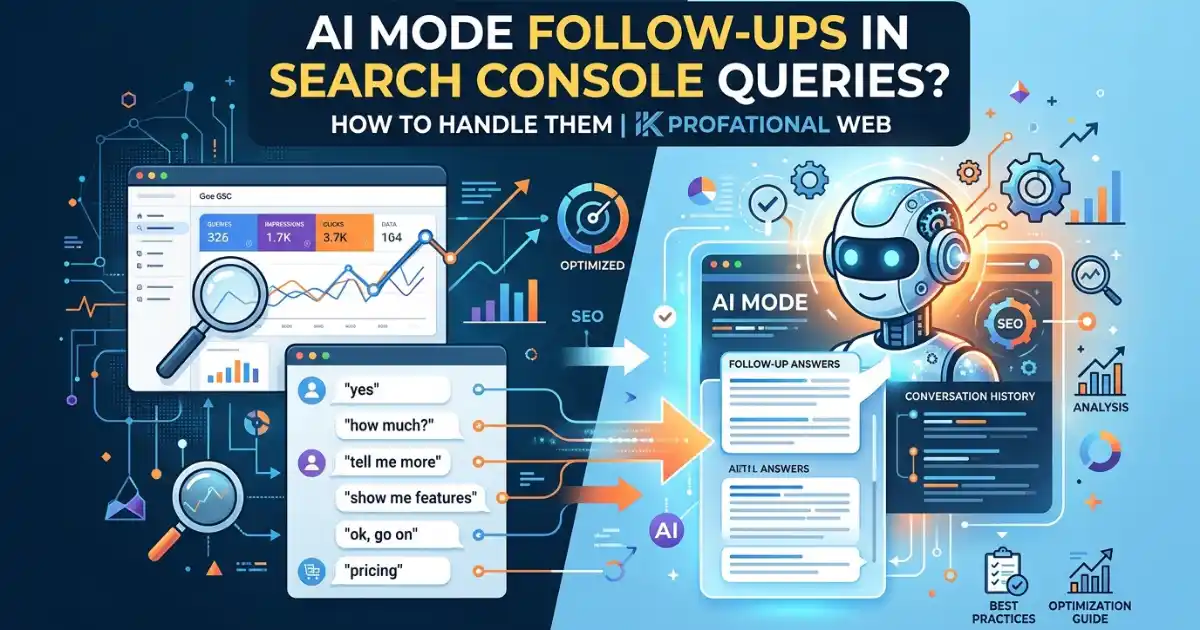
Short answer: If you see “yes,” “yes go on,” or “yes, pricing” in Search Console queries, you are most likely looking at AI Mode follow-up turns. Google’s help page says that when a user asks a follow-up in AI Mode, it counts as a new query, and its impressions, position, and clicks are credited to that new query. It is not a tracking bug, and you cannot fix it. You can only filter it out of your analysis.
If you opened your performance report and found strange one-word queries with a few impressions and almost no clicks, you are not alone. SEO professionals started sharing screenshots of exactly this in early August 2026. This guide explains what yes in Search Console queries really means, what Google has and has not confirmed, how to filter these rows with tested regex patterns, and how to use them as a content signal.
Key Takeaways: Yes in Search Console Queries
- Google’s documentation says a follow-up question inside AI Mode is “essentially” a new query, so it appears as its own row.
- Google has not published a label or filter that marks a query as AI Mode. Spotting these rows is a heuristic, not a certainty.
- These rows can distort your average position and click-through rate (CTR) if you do not separate them.
- The dedicated generative AI report has no query-level data, so these rows appear only in the main performance report.
- Long follow-up questions are useful. They show what people ask after your page is shown.
- If you never see these queries, it usually means your site has not reached AI Mode yet, not that something is broken.
What Does Yes in Search Console Queries Actually Mean?
AI Mode is Google’s conversational search experience. A person asks a question, reads the answer, then types a short reply such as “yes,” “go on,” or “yes, pricing” to continue. Each of those turns is processed as its own search.
Google’s help page on how AI features are counted in Search Console describes it directly: a follow-up question in AI Mode is essentially a new query. The impression, position, and click data for the new response are attributed to that new user query. So when your page is shown in the response to “yes,” Search Console logs a query called “yes.”
That is why you can see impressions for a query that no human would ever type into a normal search box. The query is a fragment of a conversation, not a standalone search.
If AI Mode and AI Overviews are new to you, read our guide to how to track AI Overviews in Search Console first. It explains where the generative AI report sits and what it shows.
What Has Google Actually Confirmed About Yes in Search Console Queries?

This is where many articles go too far, so it is worth being precise.
Confirmed by Google’s documentation:
- Follow-up questions in AI Mode count as new queries.
- A click on a link that takes the user out of Google counts as a click.
- Standard impression rules apply, and position follows the same methodology as the normal results page.
- In AI Overviews, all links in the overview are assigned the same single position.
- Data from Search Labs experiments is not included in Search Console.
What happened in August 2026: Anastasia Kourou posted about odd queries such as “yes,” “yes go on,” and “yes, pricing.” On 6 August 2026, John Mueller replied on LinkedIn that Search Console includes information on AI Overviews and AI Mode in the general performance report and linked the documentation. Search Engine Roundtable reported the exchange and noted that Ross Tavendale had shared a similar observation on 4 August.
What is an inference? Neither Mueller nor Google said in plain words that every “yes” row is an AI Mode follow-up. The link between the two is a strong, well-supported inference from the documentation, but it is still an inference. Treat it as the most likely explanation and verify it against your own data before you report it to a client.
Why the Generative AI Report Does Not Show These Queries
Google launched dedicated generative AI reports in June 2026. They show impressions by page, country, device, and date, but not queries. Our article on how to track AI Overviews in Search Console walks through that report step by step.
Because that report has no query dimension, the “yes” rows live only in the main performance report, where AI Overviews, AI Mode, and classic results are combined. There is no official filter that separates AI Mode traffic from everything else, so any separation you do is an estimate.
The Three Kinds of AI Mode Queries You Will See
Looking at the rows, they tend to fall into three groups. The groups below are illustrative examples of the pattern, not real site data.
| Type | Example | What it usually means |
|---|---|---|
| Fragments | Yes, go on. Ok, tell me more. | The user is continuing the conversation. |
| Short follow-ups | Yes, pricing is cheaper. | The user is narrowing the topic. |
| Full-sentence follow-ups | Okay, which of those are waterproof and under $150? | The user is asking a detailed comparison question. |
The first group is noise for reporting purposes. The third group is valuable because it shows the real questions people ask after seeing your page.
How to Filter Yes in Search Console Queries (Tested Regex Patterns)
Search Console supports custom regular expressions in the Query filter, using RE2 syntax. I tested each pattern below against sample queries to confirm it matches what it should and ignores normal searches.
Step 1: Open the filter.
- Open Performance and choose Search results.
- Click + New (or Add filter) and choose Query.
- Change the match type to Custom (regex).
- Paste a pattern and apply it.
Step 2: Pick a pattern.
Pattern A: short affirmations and continuation phrases
^(yes|yeah|yep|okay|ok|sure|go on|continue|tell me more)([ ,]+(yes|please|go on|continue|more|pricing))*$
This matches “yes,” “yes go on,” “yes, pricing,” “yes, yes, go on, yes,” and “tell me more.” It does not match “yes man lyrics” or “okay, which of those are waterproof.”
Pattern B: follow-up question openers
^(what about|and what|and how|okay (so|which|but)|so (which|what|how)|which of (those|these|them)|can you (compare|show|list)) \b
This catches queries that start like a continued conversation, such as “So which is better for wide feet?” It ignores normal searches like “What is SEO?”
Pattern C: very long queries (10 words or more)
^(\S+\s+){9,}\S+$
Long, sentence-style queries often come from conversational search. Be careful: some long queries are typed by real people, and some may come from automated tools, so treat this as a signal rather than proof.
Step 3: Choose what to do with the match.
- Select the matching regex when you want to study these queries.
- Select “Don’t match regex” when you want clean position and CTR data for classic search.
You can combine the patterns into one by joining them with a pipe character, for example, (pattern A)|(pattern B).
Limits of this method
- Patterns only catch wording that you anticipate, and they are built around English.
- A short query like “ok” could, rarely, be a normal search.
- A length filter misses short follow-ups. A short-pattern filter misses long ones. Using both helps.
- Search Console does not label any of these rows, so the result is an estimate.
How Yes in Search Console Queries Can Distort Your Reports
Average position is calculated across all queries a page appears for. If a page is shown in AI Mode for a hundred “yes” rows that never get clicked, those rows can pull down CTR and shift average position, even though nothing changed for classic search.
To keep your reporting honest:
- Report a classic search with the “doesn’t match” regex filter applied.
- Report AI-style queries separately, and call them an estimate.
- Compare the same date ranges before and after any change, so you do not read a reporting artifact as a ranking drop.
- Keep a short note in your reports explaining the filter you used.
Our guide on AEO vs GEO vs SEO explains why classic SEO and answer-engine metrics should be measured separately.
How to Use AI Mode Follow-Up Queries as a Content Signal
Most guides stop at filtering. The long follow-up questions are the useful part.
- Export the long queries. Filter with Pattern C and export the table.
- Group them by topic. If five queries ask about price, comparison, or setup, that is a subtopic your page should cover.
- Add a direct answer to the page. Use the question as an H2 or H3 and answer it in the first 40 to 60 words. Our walkthrough on how to create AEO content shows the format.
- Link related pages together. A follow-up question often belongs to a neighboring article. Use internal links so the answer is easy to find, as described in our primer on Answer Engine Optimization.
- Re-check after a few weeks. Look for new long queries and growing impressions on the updated pages.
This turns a reporting annoyance into a free list of questions your audience is asking an AI after they see you.
Common Mistakes With Yes in Search Console Queries
- Treating the rows as spam or a bug. They are real impressions from real conversations.
- Reporting an AI Mode click count. Google gives no separate click metric for AI Mode, so any number you give is an estimate.
- Assuming a long query is always AI. Real people also type long searches.
- Ignoring other languages. The regex patterns above assume English wording.
- Overreacting to small numbers. A few impressions on a “yes” row are normal and do not need action.
- Blocking AI features to “fix” the data. Opting out removes visibility. The rows are a reporting issue, not a reason to leave.
What If You Don’t See Yes in Search Console Queries?
That is normal, especially for new sites. These rows only appear when your pages are shown in AI Mode responses. If your site is new or has low impressions overall, you may see none. It does not mean your setup is wrong.
The way to get there is the same as for all AI features: Google states that the best practices for SEO remain relevant for AI Overviews and AI Mode, with no extra requirements. Pages need to be indexed, eligible to show with a snippet, and helpful and easy to find through internal links. You can read the full guidance in Google’s documentation on AI features and your website.
Our comparison of SEO vs GEO explains how these approaches fit together.
Frequently Asked Questions
Why does yes appear in Search Console queries?
Most likely because someone replied “yes” inside an AI Mode conversation, and Google counts each follow-up as a new query. Google’s documentation confirms that follow-ups count as new queries. It has not published a label that marks a specific row as AI Mode.
Is yes in Search Console queries a bug?
No. Search Console is logging queries as Google defines them. The data looks odd because AI Mode conversations produce fragments that normal searches never do.
Can I see AI Mode queries in the Generative AI report?
No. The generative AI reports show impressions by page, country, device and date, and they do not include query data. These queries appear in the main Performance report.
How do I filter AI Mode follow-ups out of Search Console?
There is no official filter. Use the Query filter with Custom (regex) and a pattern such as the ones in this guide. Choose Doesn’t match regex to exclude them, or Matching regex to study them.
Do these queries hurt my SEO?
They do not hurt rankings. They can skew reported CTR and average position, which is why you should separate them in your analysis.
Do clicks from AI Mode show in Search Console?
Yes. A click on a link that takes the user out of Google counts as a click and appears in the main Performance report. Google does not give a separate AI Mode click metric.
Final Thoughts on Yes in Search Console Queries
Yes in Search Console queries is not a mystery once you know how Google counts AI Mode. Each follow-up turn becomes its own query. The honest way to handle it is to filter the fragments out of your classic reports, keep the long follow-ups as content ideas, and be clear that any separation is an estimate. For the bigger picture, start with our guide to how to track AI Overviews in Search Console, then use this guide to keep your numbers clean.
For another method of separating AI Mode traffic, see Search Engine Journal’s guide to tracking Google AI Mode traffic in Search Console.